/note

ArixLab Note

Notes, todos and calendar that sync across your devices
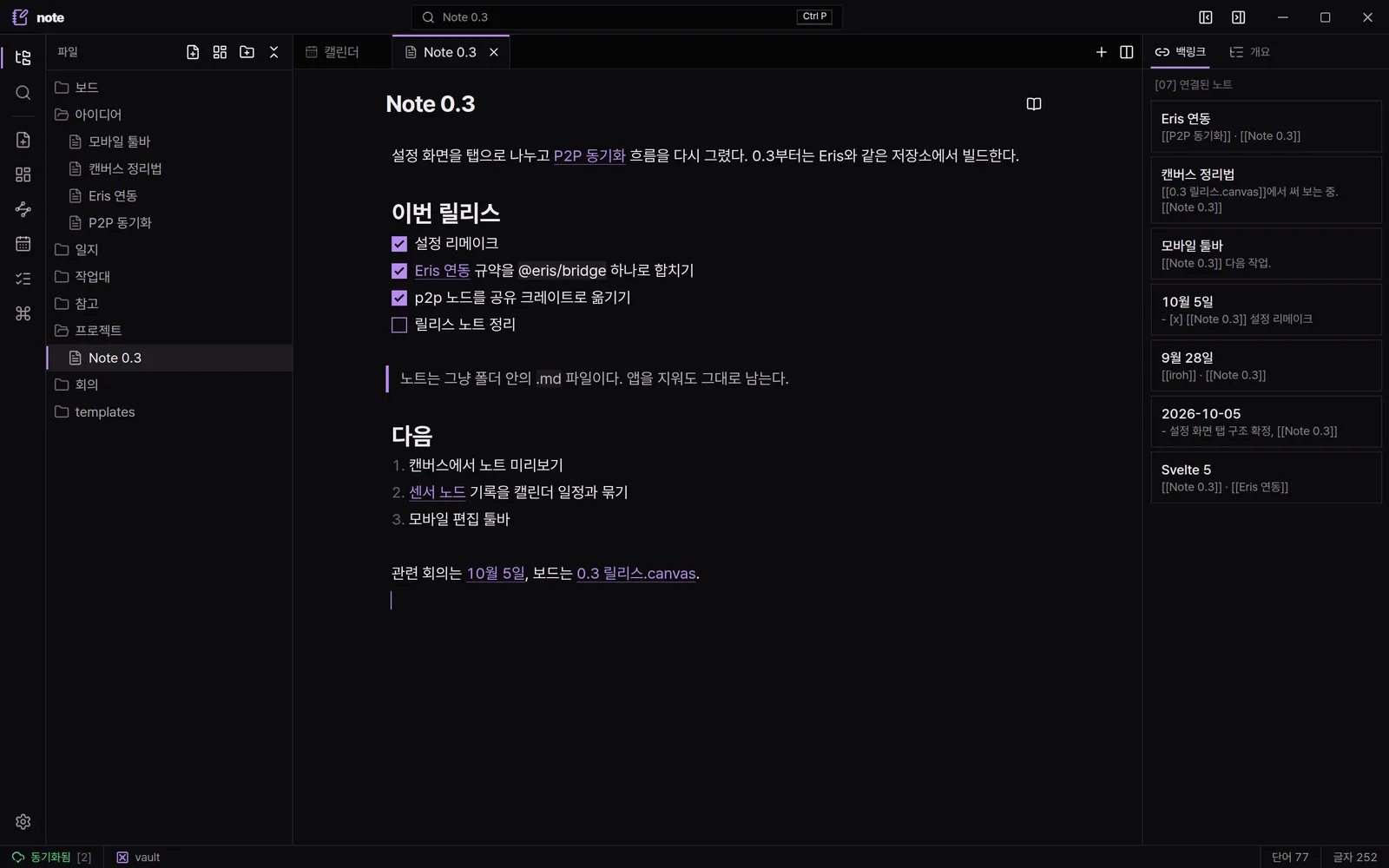
Note editor with the file tree, live preview and backlinks
  • Live preview
  • Wikilinks
  • Backlinks
  • Outline
  • Plain .md files
01

Features

01 / 07

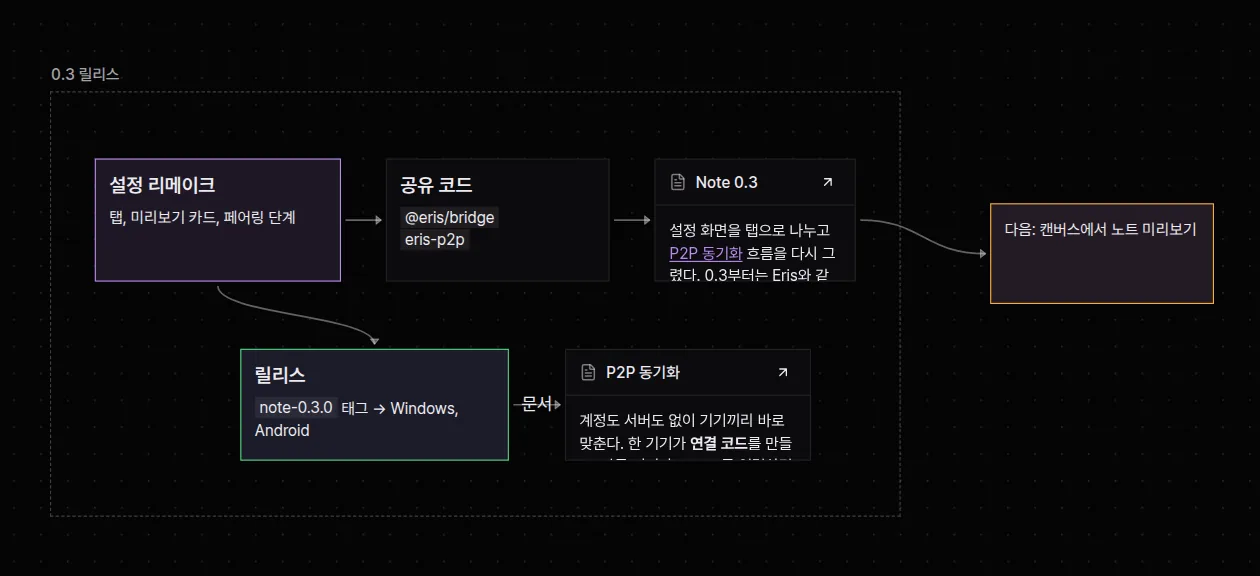
Canvas boards

Arrange text cards and notes with arrows and groups.

  • JSON Canvas
  • Note cards
  • Groups
Canvas boards
02 / 07

Link graph

See notes connected by wikilinks as a graph.
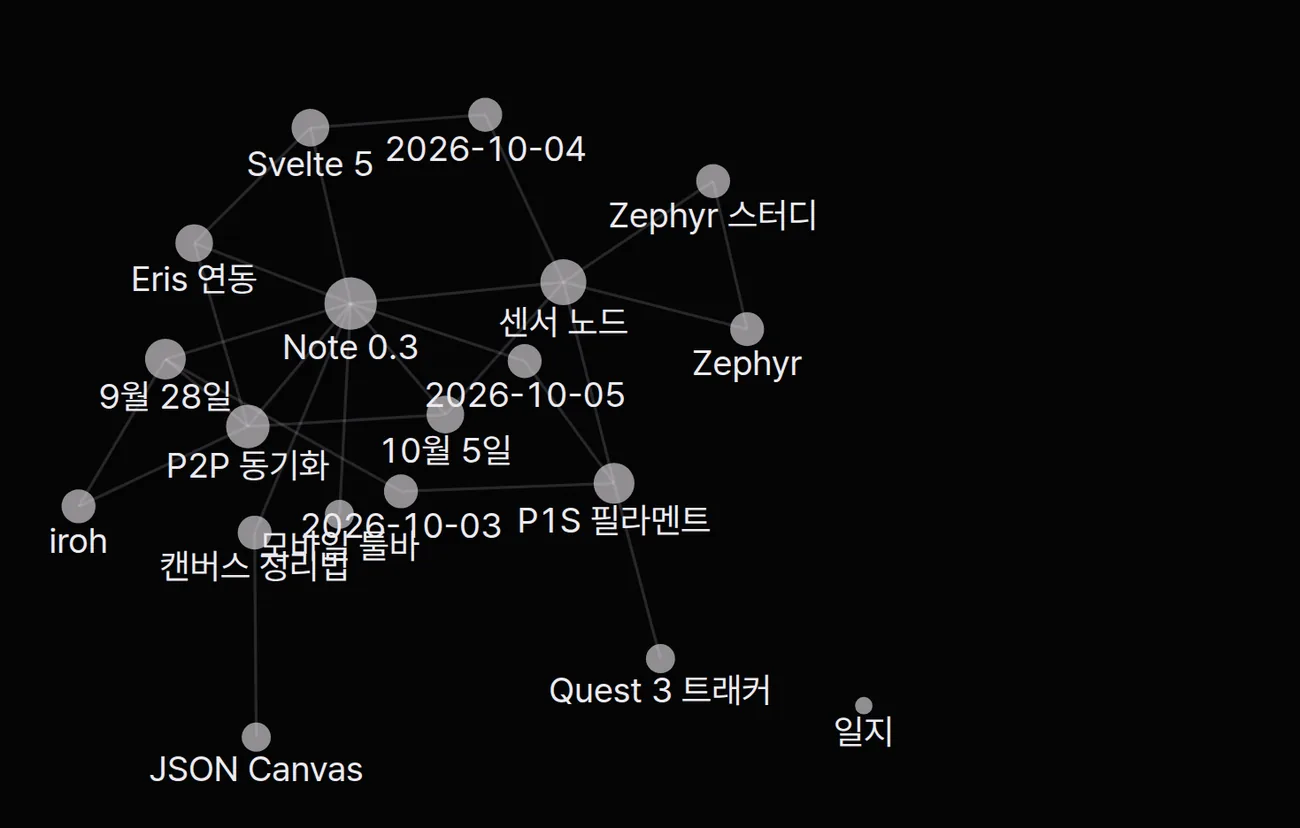
  • Wikilinks
  • Backlinks
  • Zoom and pan
Link graph
03 / 07

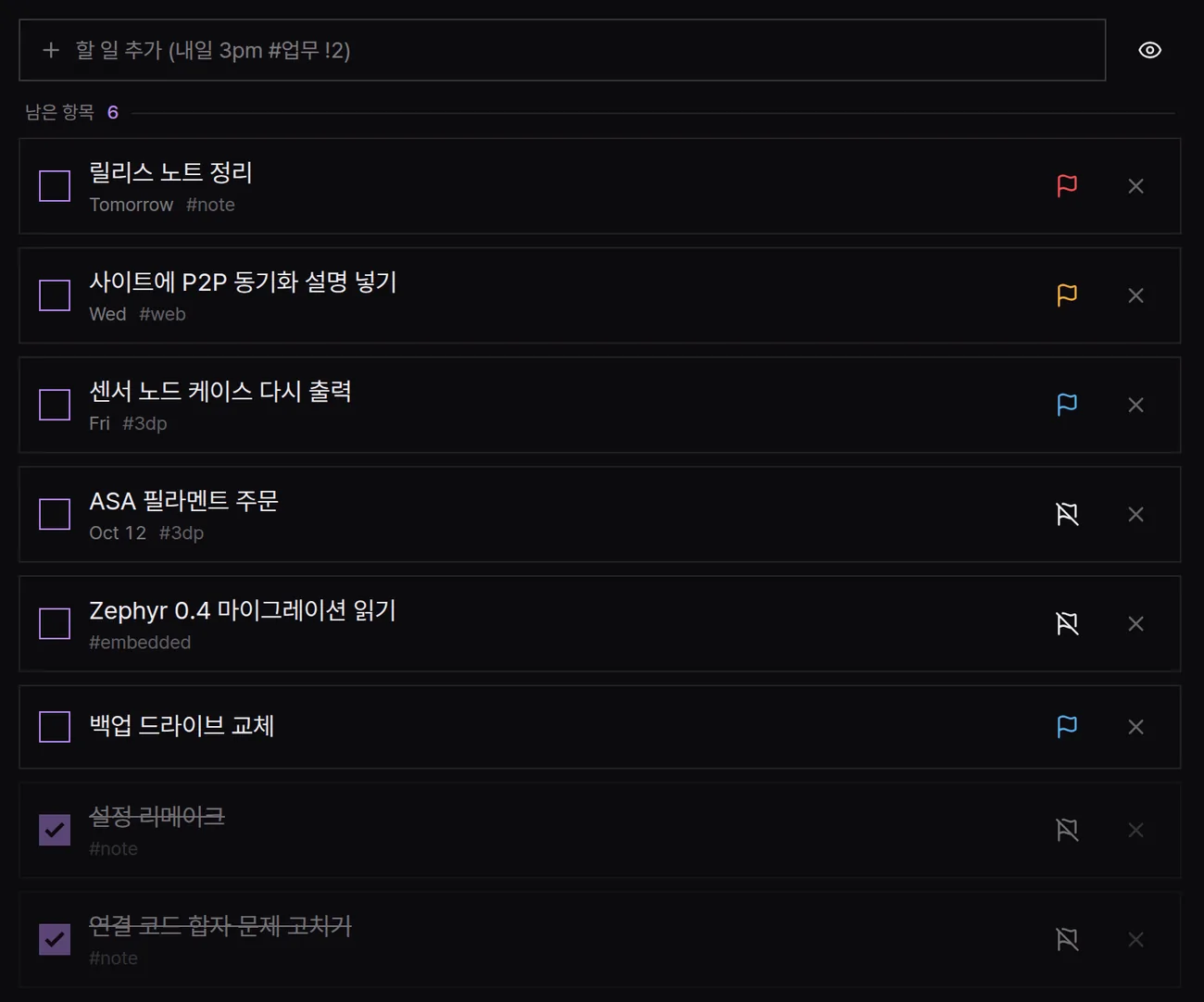
Calendar and todos

A month calendar with repeating events and a todo board.
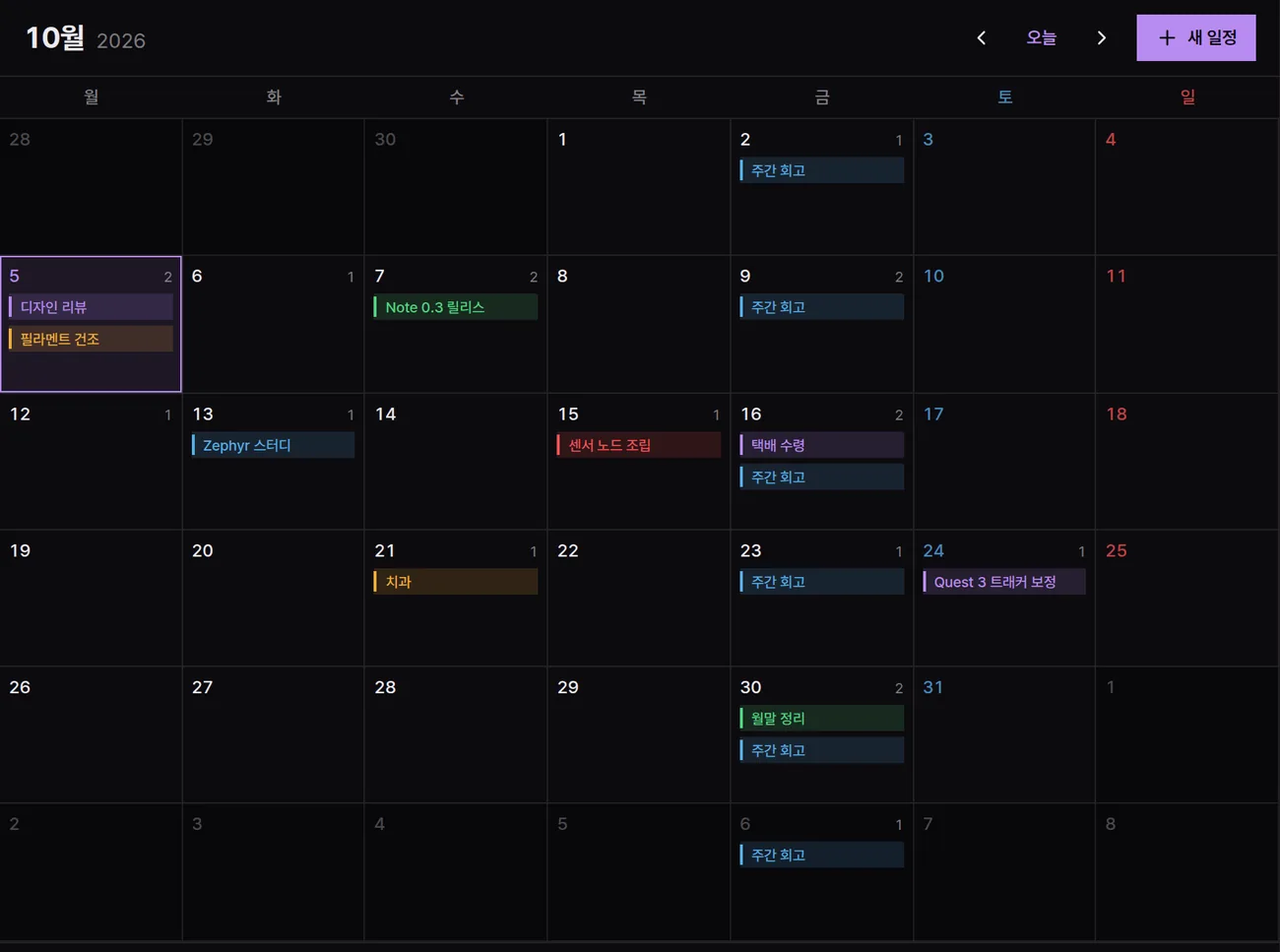
  • Repeating events
  • Quick add
  • Priorities
Calendar and todos
04 / 07

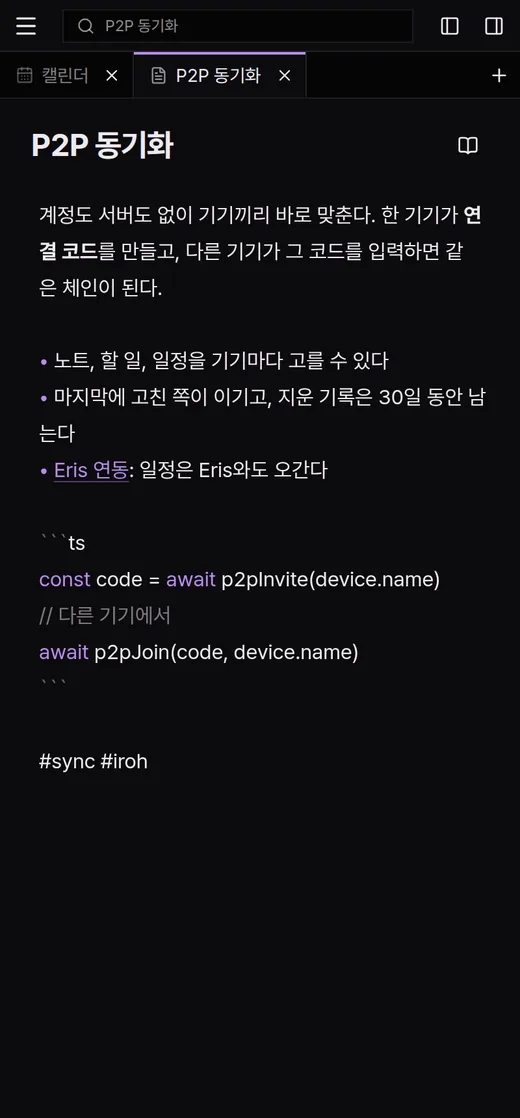
Peer-to-peer sync

Devices sync directly, with no account or server.
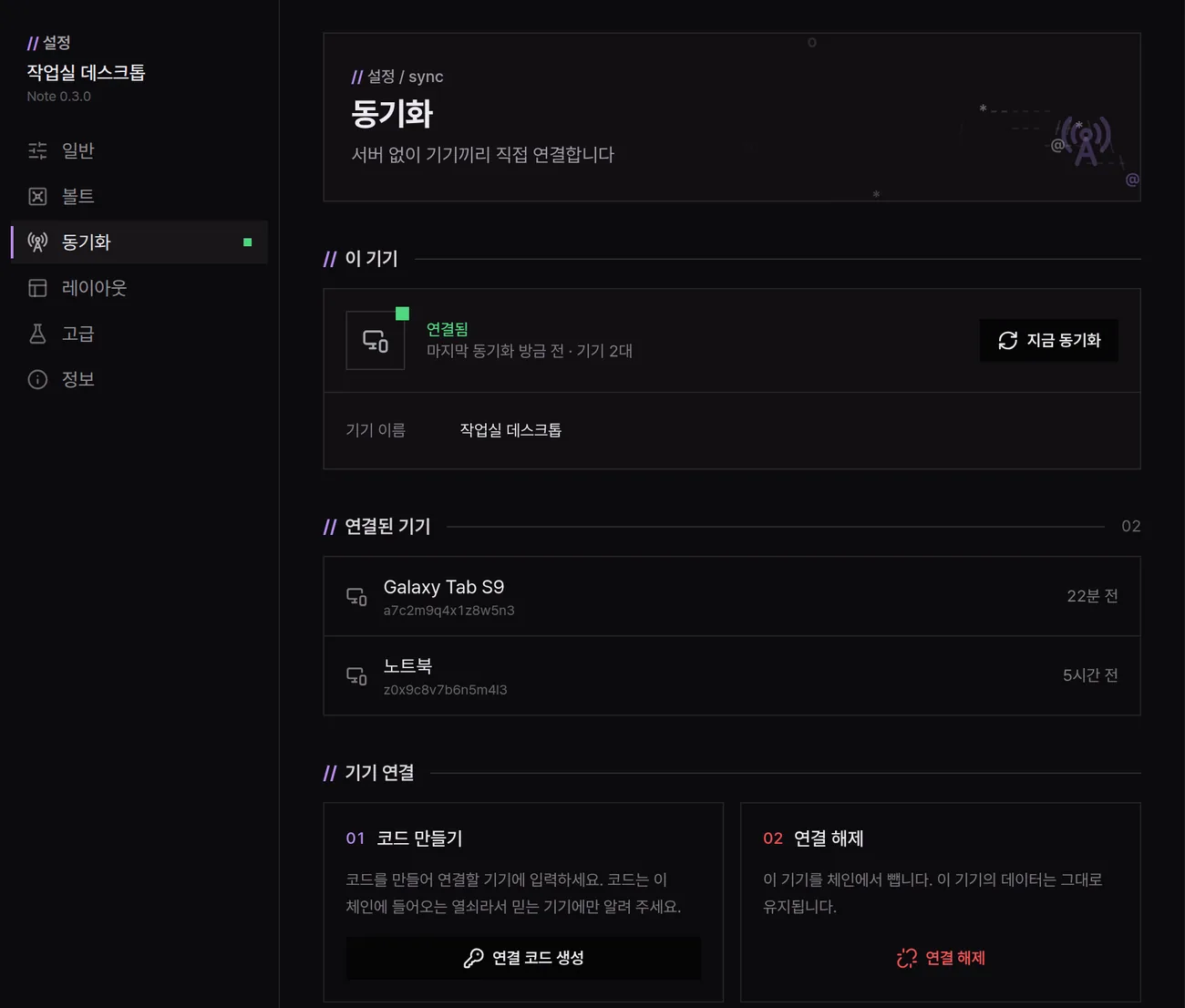
  • Pairing code
  • No account
  • Pick what syncs
Peer-to-peer sync
05 / 07

Works with Eris

Events sync with the Eris panel, and cited notes open in Note.

  • Shared calendar
  • Note links

// Eris panel 10.05

  • 14:00 디자인 리뷰 10월 5일
  • 19:00 필라멘트 건조
note 10월 5일
10월 5일 디자인 리뷰 Opens in Note
06 / 07

Windows and Android

The same vault on desktop and mobile.
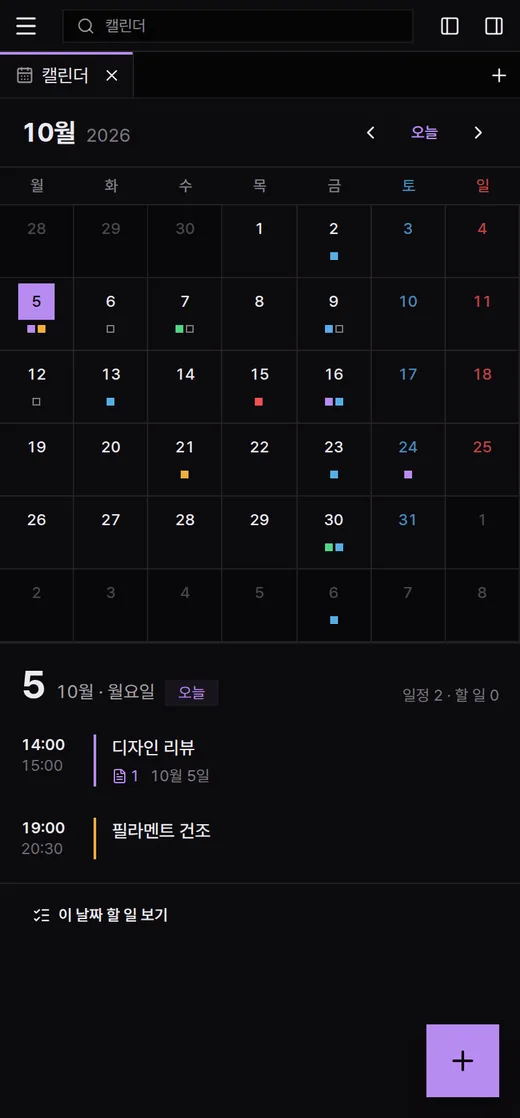
  • Windows
  • Android
Windows and Android
07 / 07

Keyboard first

Every action runs from the command palette or a shortcut.
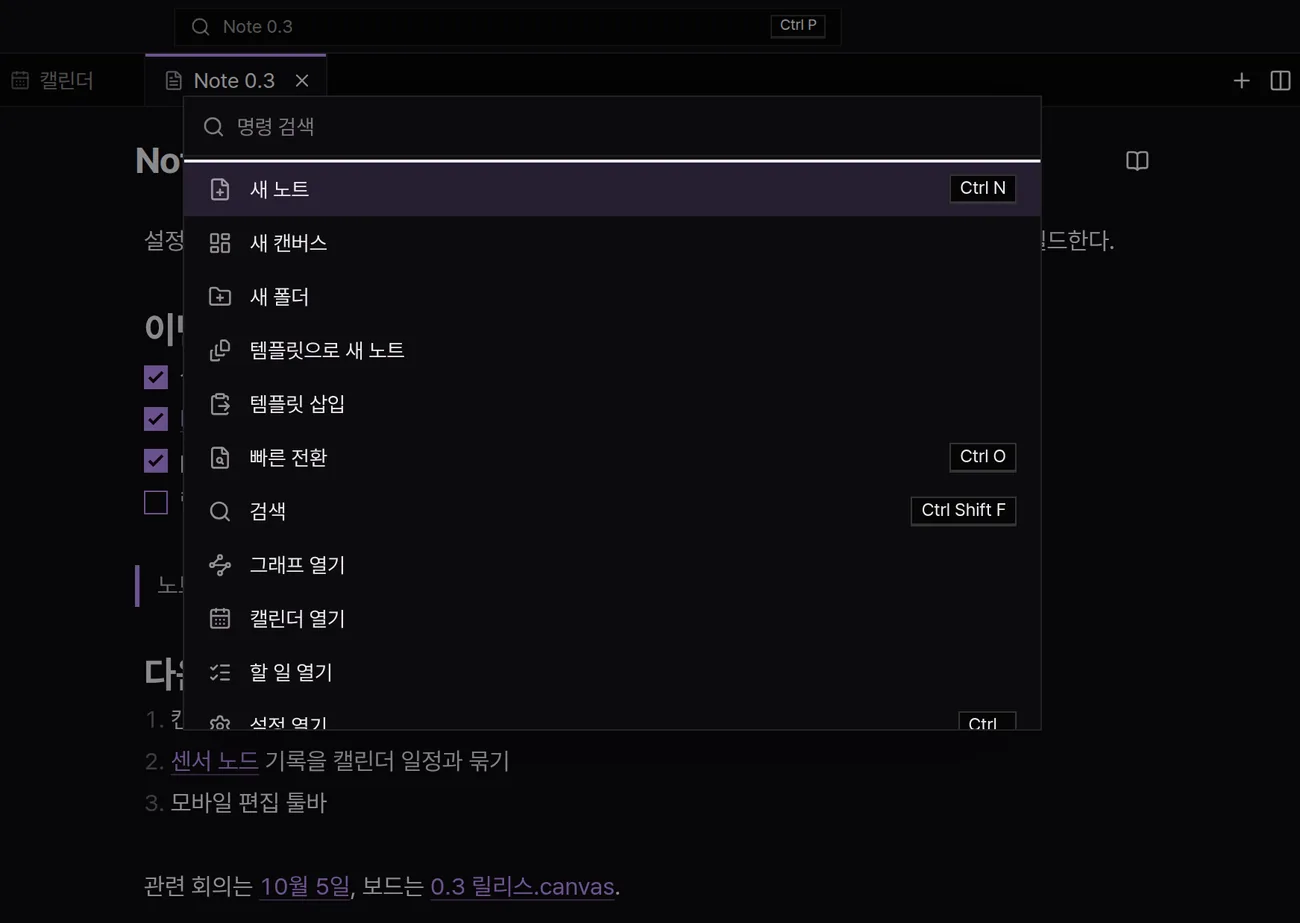
  • Command palette
  • Tabs and splits
  • Shortcuts
Keyboard first
02

And more

Live preview

Markdown renders as you type.

Wikilinks and backlinks

Link notes by name and see backlinks.

Outline

Jump by heading.

Templates

Create notes from a template folder.

Search

Search the whole vault.

Tabs and splits

Open notes side by side and arrange panels.

Sandboxed HTML

HTML and scripts in a note run isolated.

Light and dark

Follow the system theme or pick one.

Plain files

Notes are .md files in your folder.

03

Download